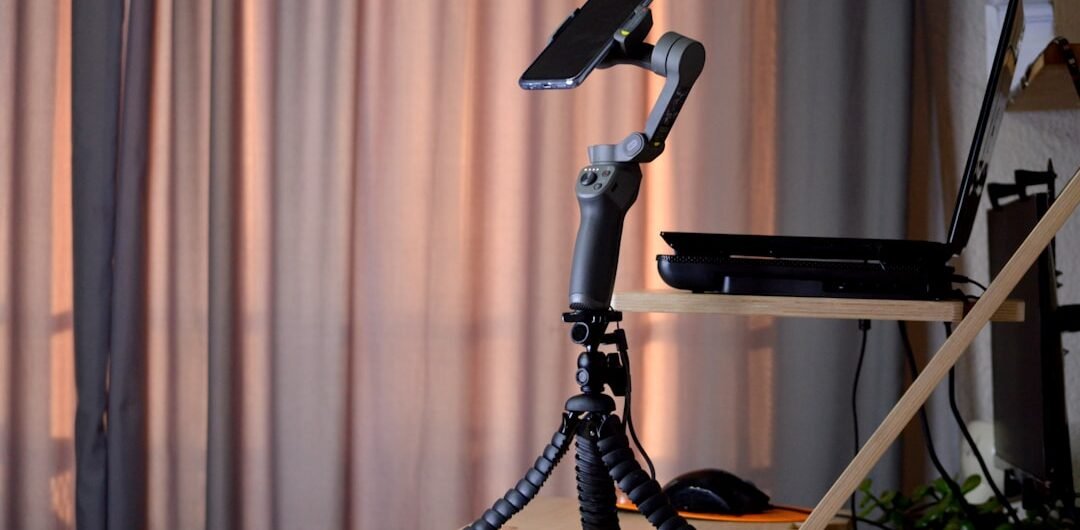
Filming your own dance practice has become an essential part of training — you can’t see yourself from the outside while you’re moving, and video review reveals technique issues that mirrors hide. Whether you’re recording for self-critique, sharing on TikTok, auditioning remotely, or building a choreography archive, a reliable tripod is one of the highest-value tools in your training kit.
We reviewed the best smartphone tripods for dance videography on Amazon, focusing on stability during vibration-heavy environments, height range for capturing full-body movement, Bluetooth remote convenience, and portability for dancers who film in studios, parks, and anywhere a performance might happen.
Quick Comparison: Best Tripods for Dance Videos (2026)
| Product | Category | Rating | Best For | Price |
|---|---|---|---|---|
| Content Creator Essentials Tripod with Auto Face Tracking 360 Rotation | Best Overall | ⭐ 4.5/5 | Solo dancers filming themselves | Check Price |
| Onn Flexible Mini-Tripod for Smartphone Camera 12 Inch | Best Mini Flexible | ⭐ 4.3/5 | Quick setup and portability | Check Price |
| Veetop Flexible Tripod for Cell Phone with Wireless Remote 360 | Best Waterproof | ⭐ 4.4/5 | Outdoor and studio filming | Check Price |
| Portable Flexible Octopus Tripod for iPhone Android with Remote | Best Octopus Style | ⭐ 4.4/5 | Wrapping around bars and poles | Check Price |
| UBeesize Phone Tripod Pro S Flexible Desk Stand with Remote | Best Desk Stand | ⭐ 4.5/5 | Tabletop and desk filming | Check Price |
| Patekfly 12 Inch Flexible Camera Tripod for DSLR Cell Phone 3-in-1 | Best Camera Tripod | ⭐ 4.3/5 | DSLR and smartphone users | Check Price |
| Fotopro Flexible Phone Tripod Bendable for iPhone Vlogging | Best Budget Flexible | ⭐ 4.3/5 | Budget flexible filming | Check Price |
Detailed Reviews
1. Content Creator Essentials Tripod with Auto Face Tracking 360 Rotation
Best for: Solo dancers filming themselves | ⭐ 4.5/5
Auto face-tracking changes the game for solo dance videography — instead of setting your phone on a fixed tripod and hoping you stay in frame, this device follows you as you move across the room. The 360-degree motorized rotation handles lateral movement, the AI tracking locks onto faces even when partially obscured, and the setup time from bag to filming is under 60 seconds. A genuine upgrade for any dancer who creates solo content.
Pros
- ✓ Auto face-tracking follows dancer across the room
- ✓ 360° motorized rotation — no re-positioning
- ✓ AI stays locked on faces through movement
- ✓ Fast setup for spontaneous filming sessions
Cons
- ✗ Requires charging between sessions
- ✗ Tracking can struggle with very fast lateral movement
2. Onn Flexible Mini-Tripod for Smartphone Camera 12 Inch
Best for: Quick setup and portability | ⭐ 4.3/5
At 12 inches and under 200 grams, the Onn mini tripod is the one that actually gets used — because it’s always in your bag. The flexible legs wrap around studio mirrors, railings, or horizontal bars for creative low angles, and the phone clamp grips any smartphone without slipping during vibration from heavy bass. No setup required beyond opening the legs and inserting your phone.
Pros
- ✓ Always-in-bag portability at 200g
- ✓ Flexible legs for creative mounting angles
- ✓ Fits any bag — no dedicated case needed
- ✓ Instant setup with no assembly
Cons
- ✗ 12-inch height too low for full-body shots
- ✗ Not stable enough for high-vibration environments
3. Veetop Flexible Tripod for Cell Phone with Wireless Remote 360
Best for: Outdoor and studio filming | ⭐ 4.4/5
The Veetop flexible tripod combines the versatility of flexible legs with a wireless Bluetooth remote that lets you start and stop recording from across the room. The waterproof body handles outdoor filming in light rain or humid studio conditions without worry, and the phone mount rotates 360 degrees for portrait (TikTok) or landscape (YouTube) framing. A thoughtful package for dancers who film both indoors and out.
Pros
- ✓ Wireless remote for hands-free recording start/stop
- ✓ Waterproof for outdoor filming
- ✓ 360° phone mount for portrait and landscape
- ✓ Flexible legs for multiple mounting positions
Cons
- ✗ Remote range limited to ~30 feet
- ✗ Flexible legs less stable than rigid ones on hard floors
4. Portable Flexible Octopus Tripod for iPhone Android with Remote
Best for: Wrapping around bars and poles | ⭐ 4.4/5
The octopus design — individual flexible legs that bend and wrap independently — is uniquely useful in dance studios where barre rails, scaffolding, and architectural features provide mounting points that a rigid tripod can’t use. Wrap the legs around a barre at 4-foot height for a ballet POV shot, or around a stage lighting truss for an elevated angle. The included remote adds professional control without an assistant.
Pros
- ✓ Individual flexible legs wrap around barres and rails
- ✓ Enables unique mounting angles in dance studios
- ✓ Includes Bluetooth remote for solo filming
- ✓ More mounting versatility than any rigid tripod
Cons
- ✗ Less stable than rigid tripods on flat surfaces
- ✗ Legs can be fiddly to position precisely
5. UBeesize Phone Tripod Pro S Flexible Desk Stand with Remote
Best for: Tabletop and desk filming | ⭐ 4.5/5
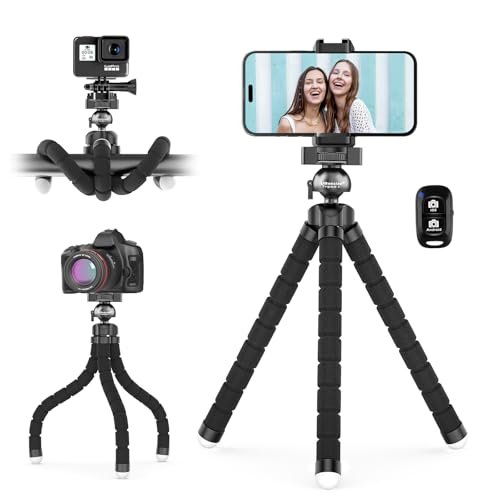
The UBeesize Pro S is optimized for the stationary angle many dancers need — propped on a box, a chair, or a studio ledge to capture a consistent mid-shot or full-body framing. The flexible legs provide stable positioning on any surface, and the included wireless remote is one of the most reliable in the category, maintaining a clean Bluetooth connection through an entire filming session. A workhorse for regular content creators.
Pros
- ✓ Excellent wireless remote reliability
- ✓ Stable on any flat surface at the right height
- ✓ Premium UBeesize build quality
- ✓ Popular with daily content creators
Cons
- ✗ Desk-scale height — not tall enough for full-room shots
- ✗ Not suitable for mounting on irregular surfaces
6. Patekfly 12 Inch Flexible Camera Tripod for DSLR Cell Phone 3-in-1
Best for: DSLR and smartphone users | ⭐ 4.3/5
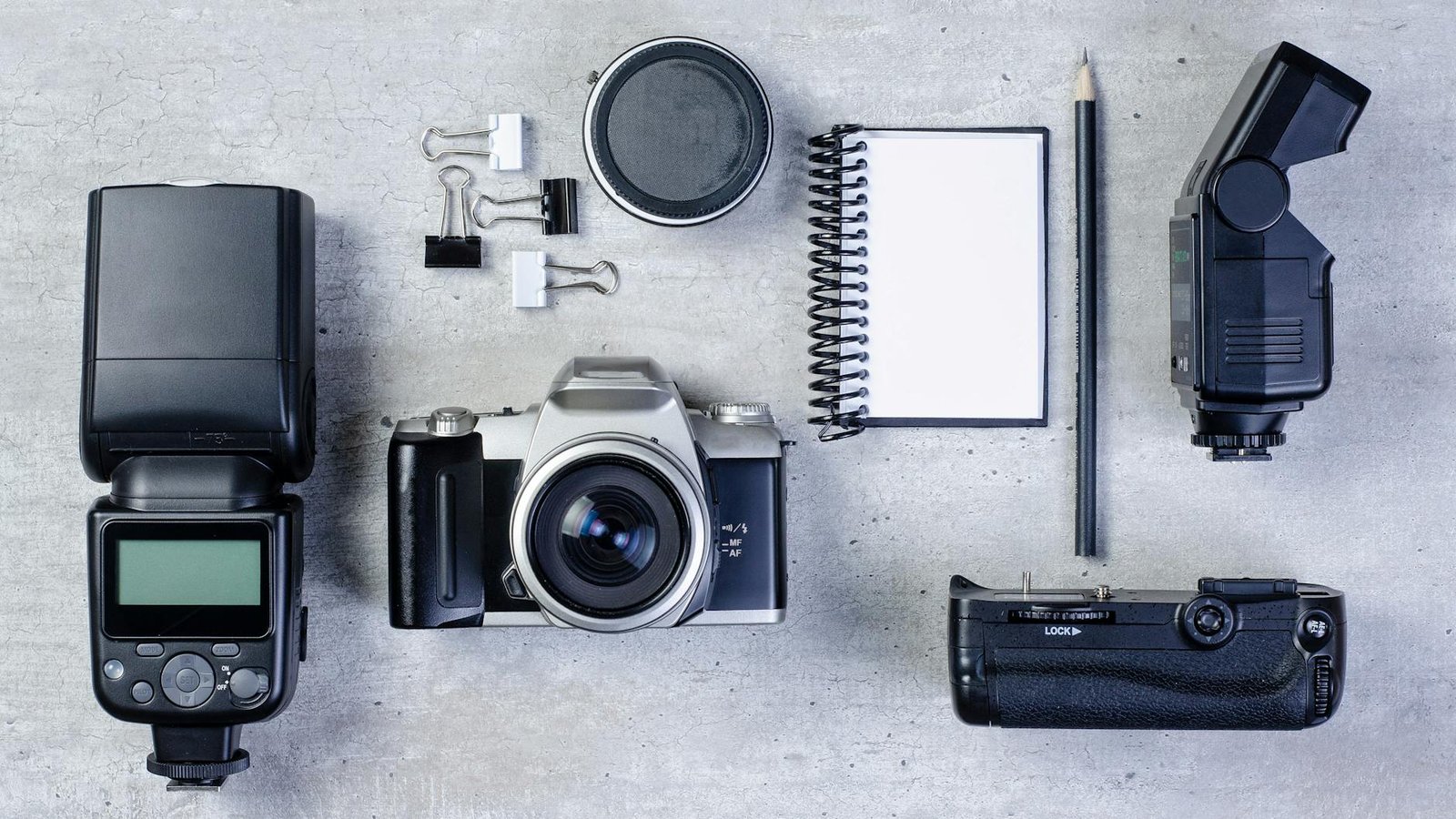
Dancers who film with a DSLR camera rather than a smartphone — for higher-quality audition footage or choreography documentation — need a tripod that handles the heavier equipment weight. The Patekfly handles cameras up to 2.2 lbs plus standard smartphones, making it the versatile bridge for dancers who own both. Three mounting options accommodate all device types without adapter shopping.
Pros
- ✓ Handles DSLRs and smartphones with same mount
- ✓ More stable base for heavier camera equipment
- ✓ Three mounting configurations in one unit
- ✓ Good for high-quality audition footage
Cons
- ✗ Heavier than phone-only tripods
- ✗ Less flexible positioning than octopus designs
7. Fotopro Flexible Phone Tripod Bendable for iPhone Vlogging
Best for: Budget flexible filming | ⭐ 4.3/5
Fotopro’s entry into the flexible tripod market delivers the core functionality — flexible legs, secure phone grip, and portability — at the most accessible price in this roundup. For dancers just starting to film their training who want to try the flexible tripod format before investing in a premium model, this is the right starting point. The build quality is functional rather than premium, but it handles daily use well for the price.
Pros
- ✓ Most affordable flexible tripod option
- ✓ Good quality-to-price ratio at entry level
- ✓ Functional for daily practice filming
- ✓ Good starting point before a premium investment
Cons
- ✗ Less durable than mid-range options
- ✗ No wireless remote included
Buying Guide: What to Look for
The right tripod for dance filming depends on how you use it. Here’s what to consider:
1. Auto-Tracking vs. Fixed Position
If you’re dancing solo and crossing the room frequently, an auto-tracking device (like the face-tracking motorized option) eliminates the frustration of walking out of frame. For fixed angles (a corner shot of the whole studio) a standard tripod is simpler and more reliable.
2. Height Range
Full-body dance shots require a camera height of 5–6 feet and sufficient distance from the dancer. Confirm the maximum extended height is enough for the shot you need. Mini tripods are great for close-up angles but can’t replace a full-height stand for full-body framing.
3. Rigid vs. Flexible Legs
Rigid legs provide more stability on flat surfaces. Flexible/octopus legs offer mounting versatility on railings and irregular surfaces. For most studio filming, a rigid tall stand is more useful than a flexible mini one — unless you specifically need the mounting options.
4. Wireless Remote
A Bluetooth remote is essential for solo filming — you need to be able to start recording without running back to the camera. Most remotes work up to 30 feet, which covers most studio sizes. Test range in your specific filming environment before relying on it.
5. Phone Compatibility
Phone clamps rated for “all smartphones” occasionally struggle with very large phones (iPhone Plus/Pro Max, Samsung Ultra models). Check the clamp opening size against your phone width. Universal clamps opening to 3.5 inches accommodate all current flagship phones.
Frequently Asked Questions
What height tripod do I need for dance videos?
For full-body dance shots, position the camera at approximately waist-to-chest height and far enough from the dancer to see the entire body. A tripod extending to 60+ inches is usually necessary for adult dancers. For close-up technique shots, a tabletop tripod at 12–18 inches works well.
How do I film dance videos by myself?
Use a tripod with a Bluetooth wireless remote to start and stop recording hands-free. Frame the shot wide enough to include your full movement range, then review and adjust before your main takes. Auto face-tracking tripods can follow your movement automatically for a more dynamic result.
What is the best format for dance videos — portrait or landscape?
Landscape (horizontal) captures more width for across-the-stage movement and works best for YouTube, audition submissions, and choreography documentation. Portrait (vertical) is optimized for TikTok, Instagram Reels, and Shorts. Many tripods allow 90° phone rotation to switch between both.
How do I prevent a tripod from shaking during dance recording?
Use a rigid tripod rather than a flexible mini one for floor-level stability. Extend all legs fully and ensure even floor contact. In studios with spring or bounce floors, place the tripod on a folded towel or foam pad to reduce vibration transmission.
Can I use a camera instead of a phone for dance videos?
Yes — a DSLR or mirrorless camera produces significantly higher image quality than a smartphone, which matters for audition footage or professional-quality content. Ensure your tripod is rated for the camera’s weight (most DSLRs are 1.5–2.5 lbs). A ball head attachment gives you more flexible angle adjustment than a fixed platform.
Final Verdict
For most solo dancers filming themselves, the Auto Face-Tracking Tripod is the single most impactful upgrade — the freedom to move across the entire studio without walking out of frame transforms the filming experience. Dancers who want classic flexibility should choose the Veetop Flexible Tripod with Remote for its waterproof versatility and reliable wireless control. For those on a budget getting started with video review, the Fotopro Bendable Tripod covers the basics at minimal cost.